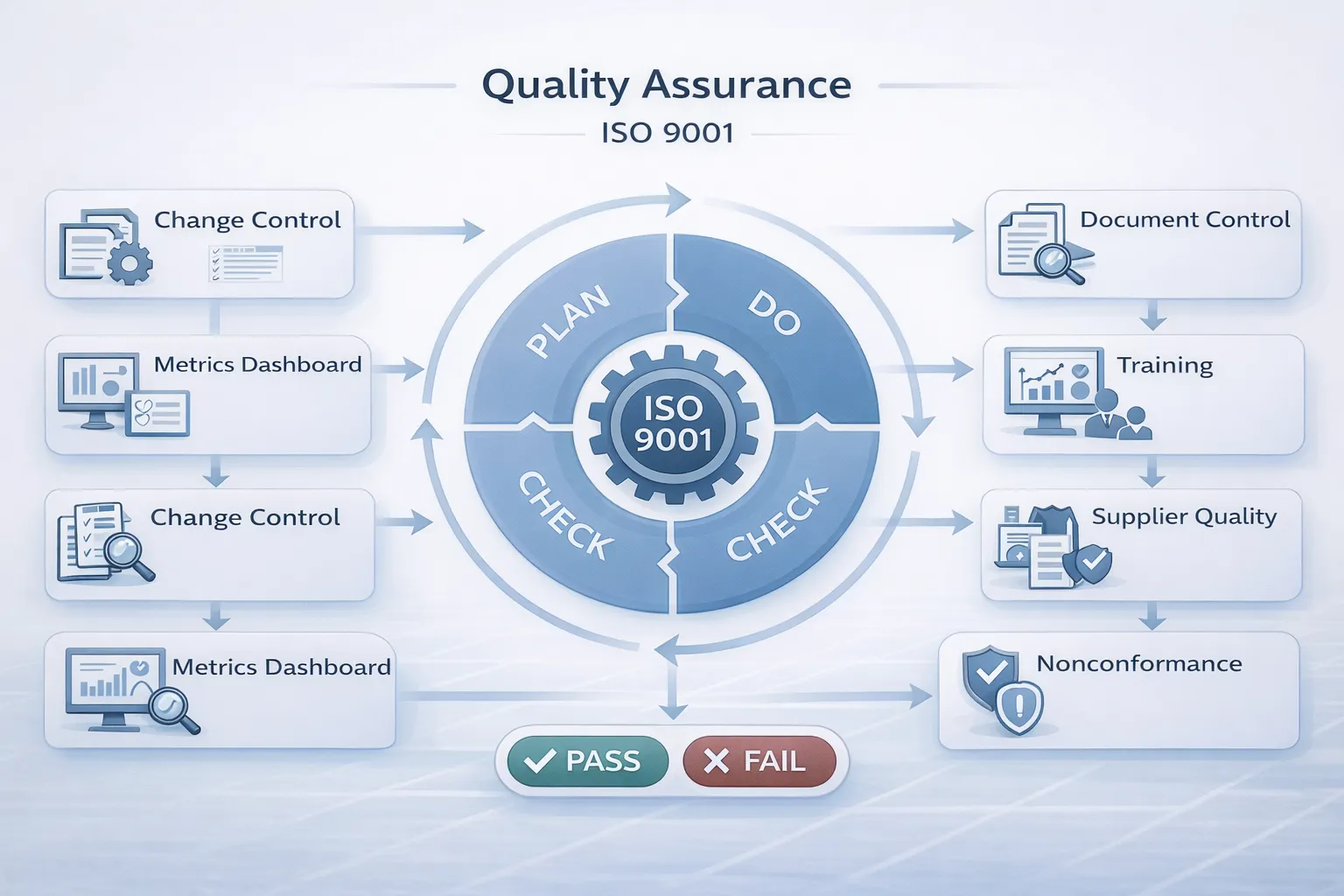
In a world where one bad batch can bankrupt a manufacturer and one software bug can leak millions of user records, quality assurance (QA) is no longer just “nice to have.” It is the operational backbone that keeps businesses alive.
However, most companies treat QA as a stack of dusty binders or a “policing” department that slows everyone down. This is a mistake. A true Quality Assurance System is an engine that turns chaos into consistency. It doesn’t just catch defects; it prevents them from being created in the first place.
This guide explains exactly what a modern QA system looks like, how it differs from simple inspection (QC), and how to build one-step by step-whether you are running a CNC machine shop or a SaaS platform.
Key Takeaways
- QA is Prevention, QC is Detection: QA builds the process to prevent bugs; QC tests the product to find them.
- Process > Product: You cannot inspect quality into a product. You must build it into the process.
- ISO 9001 is the Blueprint: It’s not just paperwork; it’s a globally recognized framework for “Say what you do, do what you say, and prove it.”
- The “Golden Thread”: A good system traces everything: Customer Req → SOP → Training → Production → Record → Product.
- Documentation Must Be Usable: If an SOP is 40 pages long, no one will read it. Keep it simple and visual.
- Risk-Based Thinking: Don’t treat all processes equally. Spend 80% of your QA effort on the 20% of processes that can kill your business.
- CAPA is the Core Engine: If you don’t fix the root cause of problems, you aren’t doing QA; you’re just fire-fighting.
- Data Over Feelings: Use metrics (First Pass Yield, Defect Rate) to drive decisions, not opinions.
- Supplier Quality Matters: Your output is only as good as your raw materials. Gatekeeping suppliers is a critical QA function.
- Continuous Improvement: A QA system is never “done.” It is a living cycle of Plan-Do-Check-Act (PDCA).
What Is a Quality Assurance System?
A Quality Assurance (QA) System is the organized collection of policies, processes, documented procedures, and records that an organization uses to ensure its products or services satisfy customer requirements consistently.
The Goal of the System
- Consistency: Making sure Widget #1 and Widget #1,000,000 are identical.
- Risk Reduction: Identifying failure points before they happen.
- Knowledge Retention: Ensuring the “how-to” lives in the system, not just in employees’ heads.
Where It Applies
- Manufacturing: Ensuring dimensions, material strength, and assembly are correct (ISO 9001, IATF 16949).
- Services: Ensuring customer support follows the script and resolves issues fast (ISO 9001, ISO 20000).
- Software: Ensuring code is reviewed, tested, and deployed safely (CMMI, ISO 27001).
Quality Assurance vs Quality Control (QA vs QC)
Most people confuse these terms. In a mature quality management environment, they are distinct but connected.
| Feature | Quality Assurance (QA) | Quality Control (QC) |
|---|---|---|
| Focus | The Process (Prevention). | The Product (Detection). |
| Question | “Are we doing the right things the right way?” | “Does this specific result match the spec?” |
| Timing | Proactive (Before/During). | Reactive (After). |
| Activity | Creating SOPs, Training, Auditing, Supplier Vetting. | Inspection, Testing, Code Review, Lab Analysis. |
| Artifacts | Process Maps, Training Logs, Audit Reports. | Inspection Logs, Test Results, Defect Lists. |
| Responsibility | Everyone (led by QA Manager). | QC Inspectors / Testers. |
Note: Quality control is a subset of Quality Assurance. You need QC to verify that your QA system is working.
How QA Fits Into Quality Management (QMS)
Think of it like a hierarchy:
- Quality Management (QM): The overall philosophy and strategy (The CEO’s vision).
- Quality Assurance (QA): The system and processes to achieve that strategy (The Managers’ playbook).
- Quality Control (QC): The specific checkpoints to verify the result (The Operators’ tools).
The ISO 9001 Loop
ISO 9001 is simply a standard that defines what a good Quality Management System (QMS) looks like. It follows a loop:
- Inputs: Customer Requirements + Resources.
- Process: The “Black Box” where work happens (controlled by QA).
- Outputs: The Product + Product Quality Data.
- Feedback: Customer feedback + Audit Results → Improvement.
Core Components of a QA System
To build a functioning system, you need these building blocks.
1. Quality Policy & Objectives
The “North Star.” A one-page document stating what quality means to you (e.g., “Zero Defects,” “100% On-Time”).
- Artifact: Quality Policy Statement signed by CEO.
2. Document Control
You must ensure everyone uses the current version of instructions. No obsolete PDF files allowed.
- Artifacts: SOPs (Standard Operating Procedures), Work Instructions, Forms Master List.
3. Training & Competence
Training must be documented. “He knows how to do it” is not a defense in court.
- Artifacts: Skills Matrix, Training Records, Onboarding Checklists.
4. Risk Management
Thinking about “what could go wrong” before it happens.
- Artifacts: FMEA (Failure Mode and Effects Analysis), Risk Register.
5. Supplier Management
Vetting vendors before buying. You can’t bake a good cake with bad flour.
- Artifacts: Approved Supplier List (ASL), Supplier Audit Reports.
6. Process Control
Defining the steps of production.
- Artifacts: Control Plan, Process Flow Chart, Maintenance Logs.
7. Nonconformance Management
What do you do when things go wrong? You need a “Red Box” process.
- Artifacts: Nonconformance Report (NCR), Quarantine Log.
8. CAPA (Corrective and Preventive Action)
The engine of improvement. Fixing the root cause so it never happens again.
- Artifacts: CAPA Request Form, Root Cause Analysis (5 Whys).
9. Internal Audits
Checking yourself before a customer checks you.
- Artifacts: Audit Schedule, Audit Checklists.
10. Metrics & Continuous Improvement
Using data to get better.
- Artifacts: KPI Dashboard (Yield, Customer Complaints).
11. Complaint Handling + Customer Feedback
Listening to the user. Customer feedback is the ultimate validation of product quality.
- Artifacts: Complaint Log, Customer Satisfaction Survey.
12. Change Control
Making sure changes (new machine, new code) don’t break the system.
- Artifacts: Change Request Form (ECR/ECO).
Quality Standards That Matter (Without the Fluff)
ISO 9001 (The Gold Standard)
- What it is: The general standard for any business (manufacturing, service, software).
- Core Logic: Plan-Do-Check-Act.
- Why use it: It is the “ticket to play” for global business.
ISO 9000
- What it is: Just the definitions and vocabulary for ISO 9001.
Industry Specifics (When ISO 9001 isn’t enough)
- Medical Devices: ISO 13485 (Much stricter on risk and documentation).
- Automotive: IATF 16949 (Focuses heavily on defect prevention and statistics).
- Aerospace: AS9100 (Focuses on safety and counterfeit parts).
- Software: CMMI or ISO/IEC 27001 (Information Security).
Implementation: Step-by-Step Plan (30–90 Days)
Step 1: Scope & Process Map (Days 1–10)
- Define what you do. Draw a high-level flowchart of your business (Sales → Plan → Make → Ship).
- Done when: You have a “Process Map” on the wall.
Step 2: Minimal Documentation (Days 11–30)
- Don’t write 100 policies. Write the critical SOPs: Document Control, Nonconformance, Training.
- Done when: You have a central folder (Google Drive/SharePoint) with version-controlled docs.
Step 3: Metrics & Checkpoints (Days 31–45)
- Decide what to measure. (e.g., Error Rate, Shipping Accuracy).
- Done when: You have a basic Dashboard or Excel tracker.
Step 4: Training (Days 46–60)
- Train staff on the new SOPs. Have them sign off.
- Done when: Training records are populated.
Step 5: Pilot & Adjust (Days 61–75)
- Run the system. Log defects (NCRs). Issue CAPAs.
- Done when: You have real records generated by the team.
Step 6: Internal Audit (Days 76–80)
- Audit one process. Find gaps.
- Done when: You have your first Audit Report.
Step 7: Management Review (Day 85)
- Show the boss the data. Ask for resources.
- Done when: Meeting minutes are signed.
Step 8: Continuous Loop (Day 90+)
- Repeat.
QA System Starter Kit (Templates & Checklists)
If you are starting from scratch, create these 5 documents first:
1. Mandatory Procedures
- Control of Documented Information (How we name and save files).
- Control of Nonconforming Outputs (What we do with bad stuff).
- Internal Audit (How we check ourselves).
- Corrective Action (How we fix problems).
2. Mandatory Registers (The “Logs”)
- Master Document List (Index of all SOPs).
- Training Matrix (Who knows what).
- NCR Log (List of defects).
- CAPA Log (List of improvements).
- Approved Supplier List (Who we buy from).
3. Minimum KPIs
- Manufacturing: First Pass Yield (FPY), Scrap Cost.
- Service: Customer Complaint Rate, Average Resolution Time.
Two Mini Case Studies
Manufacturing: The Widget Factory
- Problem: 5% of widgets were scrapped due to “Machine Drift.”
- QA Fix: Implemented a Process Control step (QC) to measure the part every hour (not just at the end).
- Result: Scrapped reduced to 0.5%. Product quality stabilized. Cost saved: $50k/year.
Service: The IT Support Desk
- Problem: Clients complained that fixes “took too long.”
- QA Fix: Created an SOP for ticket escalation. Defined a metric (SLA Breach Rate).
- Result: Technicians knew exactly when to escalate. SLA breaches dropped by 40%. Consistency improved.
Common Mistakes
- Over-documenting: Writing a 20-page SOP for making coffee. Keep it simple.
- No Process Owners: “Quality is everyone’s job” usually means it’s no one’s job. Assign names to processes.
- Pencil Whipping: Filling out forms without actually doing the check.
- Confusing QA with QC: Hiring 10 inspectors but fixing zero processes.
- CAPA Graveyard: Opening CAPAs but never closing them.
- Ignoring Suppliers: Assuming raw materials are always good.
- Software bloat: Buying expensive QMS software before you have a process.
- Training once: Assuming one training session lasts forever.
- Fear culture: Hiding mistakes instead of logging NCRs.
- Copy-pasting: Downloading generic manuals that don’t match your reality.
FAQ
What are quality assurance systems?
They are structured frameworks (processes, procedures, and responsibilities) used to ensure that products and services consistently meet customer and regulatory requirements.
What are QA standards?
They are agreed-upon international guidelines (like ISO 9001) that define the requirements for a quality system. They provide a “common language” for quality globally.
What are the 4 main components of QMS?
- Quality Planning.
- Quality Assurance.
- Quality Control.
- Quality Improvement.
What are the 5 P’s of quality assurance?
Usually referred to as: People, Parts, Processes, Procedures, and Products. (Variations exist).
Is QA the same as testing?
No. Testing is a QC activity (detecting errors). QA is the system that plans the testing and ensures the testing process itself is valid.
How much does ISO 9001 certification cost?
For a small business, implementation might cost $5k–$15k (consultant time), and the certification audit might cost $3k–$6k/year.
Do I need software for QA?
No. You can run a very good ISO 9001 system using just Microsoft Word, Excel, and a shared folder. Software helps scale, but it’s not mandatory.
Who is responsible for QA?
Top management is accountable, but the Quality Manager is responsible for the system’s day-to-day operation.
What is an SOP?
Standard Operating Procedure. A written instruction describing how to perform a routine activity.
How do I handle customer complaints in QA?
Log the complaint → Investigate the root cause → Issue a CAPA → Reply to the customer → Verify the fix ensures it won’t happen to the next customer.